12 Home Office Desk Accessories That Upgrade Any Workspace
Introduction
A desk is more than a flat surface with a laptop on it. It is where ideas take shape, deadlines get met, and long workdays either feel comfortable or quietly exhausting. The difference between a desk that drains you and a desk that energizes you often comes down to the small things sitting on it. The right home office desk accessories do not just look good — they save your posture, your time, and your focus.
You do not need a full office makeover or a big budget to feel the change. A monitor riser that lifts your screen to eye level, a lamp that flatters instead of glares, a cable tray that makes the tangle disappear — each small upgrade removes one daily friction. Together, they turn a makeshift corner into a workspace you actually enjoy sitting at. Many of these accessories cost less than a week of takeaway coffee, yet they pay off every single workday.
In this guide, we round up twelve home office desk accessories that genuinely upgrade any workspace, from tiny apartment corners to dedicated home offices. Every pick earns its place by solving a real problem: better ergonomics, less clutter, softer light, or a calmer mind. Whether you are building a home office on a budget or refining a setup you already love, these twelve accessories will help your desk work as hard as you do.
1. A Monitor Riser That Lifts Your Screen to Eye Level
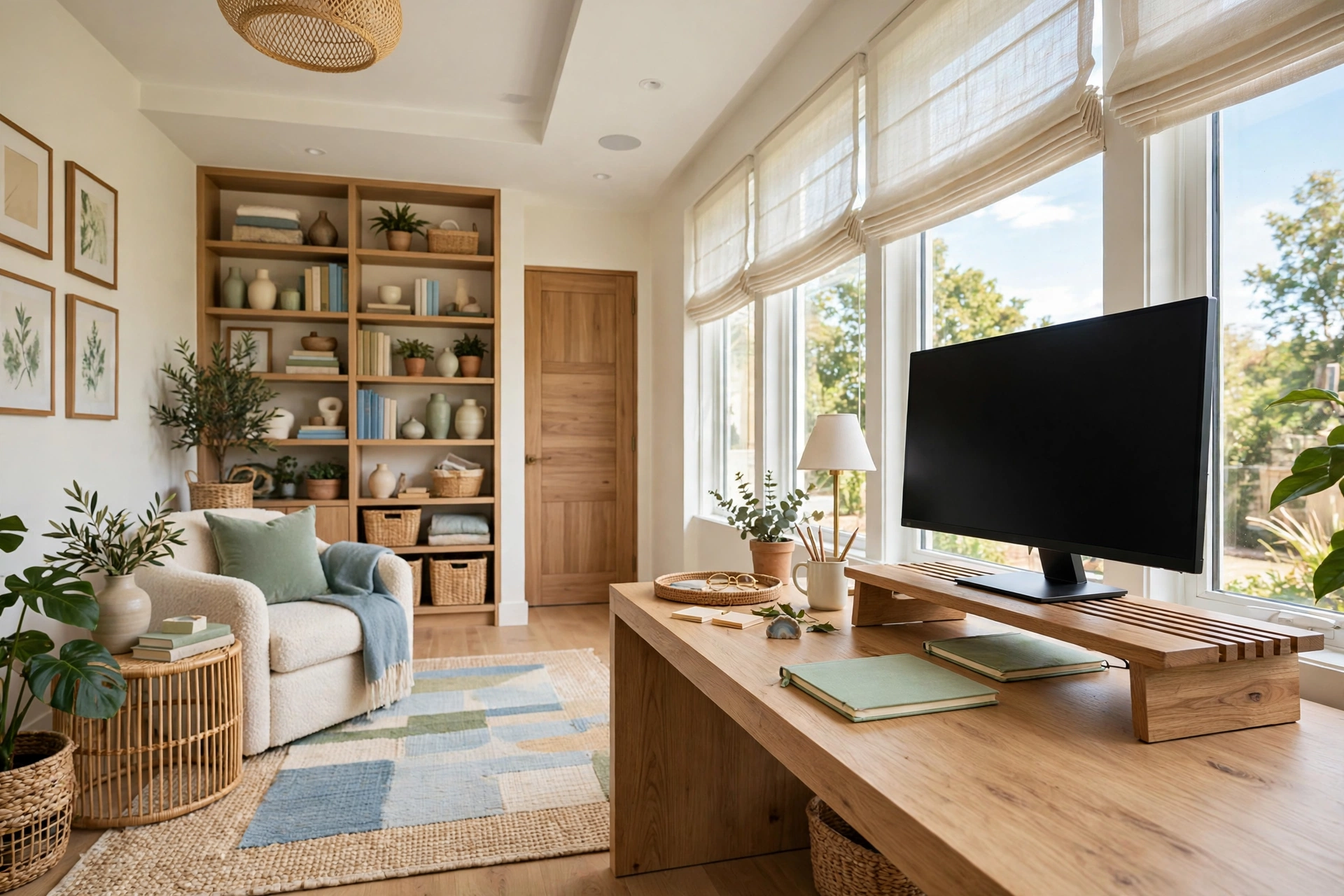
Most neck and shoulder strain at a desk starts with a screen that sits too low. When your monitor rests directly on the desk, you tilt your head down all day, and your neck pays for it by evening. A monitor riser solves this in one move by lifting the screen to eye level, so your gaze stays straight ahead and your spine stays neutral. It is the single most impactful ergonomic upgrade you can make for under fifty dollars.
A good riser does more than hold a screen. The space underneath becomes a home for your notebook, your keyboard when you step away, or a small storage tray. Choose a sturdy wooden or bamboo riser for warmth, or a clean white or black metal one for a modern look. Make sure it is wide enough for your monitor base and rated for its weight, especially if you use a large or ultrawide screen.
2. An Adjustable Desk Lamp With Warm Light

Overhead ceiling lights create harsh shadows and glare on screens, while working in dim light strains your eyes by mid-afternoon. An adjustable desk lamp fixes both problems by putting soft, focused light exactly where you need it. Look for one with a warm color temperature around 2700 to 3000 Kelvin and a dimmer, so you can shift from bright task light in the morning to a gentle glow for late-evening work.
Position the lamp to the side of your dominant hand so it lights your writing area without casting your hand’s shadow across the page. A lamp with a flexible arm or a pivoting head lets you aim light at paperwork, then swing it away from the screen when you join a video call. The right lamp makes your desk feel calm and considered, even on the greyest winter afternoon.
3. A Cable Management Tray That Makes Wires Disappear

Nothing ruins a tidy desk faster than cables spilling over the back edge like vines. A cable management tray mounts under the desk and gathers power strips, chargers, and loose cords into one hidden channel. Once everything is tucked away, your desk surface stays clear, cleaning takes seconds, and the whole setup looks instantly more professional on video calls.
Install the tray before you plug anything in, and route each cable through it with a little slack so you can still move things around. Pair it with a few adhesive clips along the desk edge to guide individual cables to their devices. The result is invisible in the best way: nobody notices the tray, they only notice how clean your desk looks.
Home Office Desk Accessories Quick-Start Checklist
- ✅ Measure your desk depth and width before buying any accessory
- ✅ Lift your monitor so the top of the screen sits at eye level
- ✅ Add one warm, adjustable light source to the side of your dominant hand
- ✅ Route every cable through a tray or clips before plugging anything in
- ✅ Give every small item a tray, cup, or drawer so nothing floats loose
- ✅ Test your chair height and arm position after each ergonomic change
- ✅ Do a five-minute desk reset at the end of each workday
4. A Desk Organizer Tray for the Small Stuff

Pens, paperclips, charging cables, sticky notes, and lip balm all migrate to the same spot: the middle of your desk, right where you need to work. A desk organizer tray gives every small item a defined home, so the surface stays clear and you can find what you need without digging. A shallow bamboo or felt tray with two or three compartments is enough for most desks, and it keeps the essentials within reach without taking over the workspace.
The trick is to keep the tray small on purpose. A tray that is too big becomes a junk drawer in disguise, so choose one that holds only what you genuinely use every day. Everything else belongs in a drawer or a shelf. When the tray is full, it is a signal to clear it out, not a reason to buy a bigger one.
💡 Pro Tip: if you have not touched something in a week, move it to a drawer. A tidy tray stays tidy because it holds five things, not fifteen.
5. An Ergonomic Keyboard and Mouse Set

Your keyboard and mouse are the tools your hands touch for eight hours a day, yet most people use whatever came free with their computer. An ergonomic keyboard with a gentle split or a slight tent angle keeps your wrists straight, while a mouse shaped to fit your hand reduces the strain that builds up from thousands of small clicks. Together, they are the cheapest insurance against wrist pain and repetitive strain.
You do not need a gaming setup or a medical-grade device. A quiet, low-profile wireless keyboard and a comfortable vertical or contoured mouse make a noticeable difference within the first week. If you type a lot, consider a keyboard with a soft-touch wrist rest, and pair it with a mouse pad that has built-in wrist support for longer sessions.
Quick Comparison: Home Office Desk Accessories by Cost and Effort
6. A Monitor Arm That Frees Your Desk Surface

A monitor arm clamps to the back of your desk and holds your screen in the air, freeing the entire footprint a stock stand used to occupy. That reclaimed space is enough for a notebook, a coffee cup, or simply some breathing room, and the desk instantly looks bigger. A gas-spring arm lets you adjust height, tilt, and distance with one hand, so you can fine-tune your setup whenever your posture or task changes.
Before you buy, check that the arm supports your monitor’s weight and VESA mount pattern, and that your desk edge is thick and sturdy enough for the clamp. Most arms fit desks between 20 and 50 millimeters thick. Once installed, route the monitor cable through the arm’s built-in channel for the cleanest possible look.
7. A Large Desk Mat That Defines Your Workspace

A desk mat does three jobs at once: it protects your desk surface from scratches and coffee rings, it gives your mouse a smooth, consistent tracking surface, and it visually defines your workspace. That last job matters more than it sounds. A mat creates a clear boundary between your work zone and the rest of the desk, which makes the whole setup feel intentional and calm.
Choose a mat in a warm neutral — cognac leather, deep green felt, or a soft grey vegan leather — that complements your room rather than shouting for attention. It should be large enough to hold your keyboard and mouse with room to spare, usually around 80 by 40 centimeters. Avoid mats that are too small, which slide around, or too thick, which lift your wrists at an awkward angle.
📌 Important: a mat that picks up a color from your curtains, rug, or wall art ties the whole workspace into the room instead of looking like an office supply that wandered in.
8. A Small Plant That Makes the Desk Feel Alive

A small plant is the most affordable way to make a desk feel welcoming. Studies consistently link a touch of greenery to lower stress and better focus, and a plant softens the hard edges of screens and cables in a way no gadget can. A pothos, a small snake plant, or a tiny succulent needs almost no care and survives the occasional forgotten watering.
Place the plant where it will not block your screen or your light — the far corner of the desk, or on the monitor riser beside the screen, works well. A simple ceramic or terracotta pot looks far better than the plastic nursery pot it came in, and it is worth spending a few dollars on a pot you actually like looking at every day.
9. A Headphone Stand That Keeps Audio Gear Off the Desk

Headphones left flat on a desk take up space, collect dust, and get knocked off the edge at the worst moment. A headphone stand — either a clamp-on model that hangs under the desk or a simple weighted stand — keeps them upright, visible, and out of the way. It also protects the ear cushions from flattening, which extends the life of an expensive pair.
If you use headphones for calls all day, a clamp-on stand mounted at the desk edge keeps them within arm’s reach without occupying any surface at all. For a warmer look, a wooden stand doubles as a small piece of desk decor. Either way, your headphones stop being clutter and start being part of an organized setup.
10. A Quality Notebook and Pen Holder for Analog Thinking

Screens are wonderful for typing, but some thinking still works better on paper. A quality notebook and a pen holder give you a dedicated place for quick lists, sketches, and the kind of brainstorming that feels cramped in a document. Keeping paper on the desk also gives your eyes a reason to look away from the screen, which helps with eye strain during long days.
Choose a notebook that lies flat and a pen you enjoy writing with — if the tools feel good, you will actually use them. A slim pen cup or a small ceramic holder keeps pens upright and easy to grab, and it stops them from rolling under your keyboard. This is a small, old-fashioned accessory, but it is one of the most used items on a well-set-up desk.
⚠️ Warning: one notebook and one pen cup is a system; a stack of notebooks, loose printouts, and old to-do lists is clutter wearing a disguise. File finished pages weekly.
11. A USB-C Hub That Ends the Dongle Dance

Modern laptops have fewer ports than ever, which means a tangle of adapters for monitors, drives, and peripherals. A single USB-C hub consolidates everything into one neat device: plug your monitor, keyboard, external drive, and charger into the hub, and connect the hub to your laptop with one cable. When you need to take the laptop elsewhere, you unplug one cable instead of five.
Look for a hub with the ports you actually use — HDMI or DisplayPort for your monitor, a couple of USB-A ports, an SD card slot if you handle photos, and pass-through charging so your laptop stays powered. A compact aluminum hub that sits flat on the desk or tucks behind the monitor keeps the setup looking clean rather than adding another box to the clutter.
12. A Footrest That Improves Posture From the Ground Up
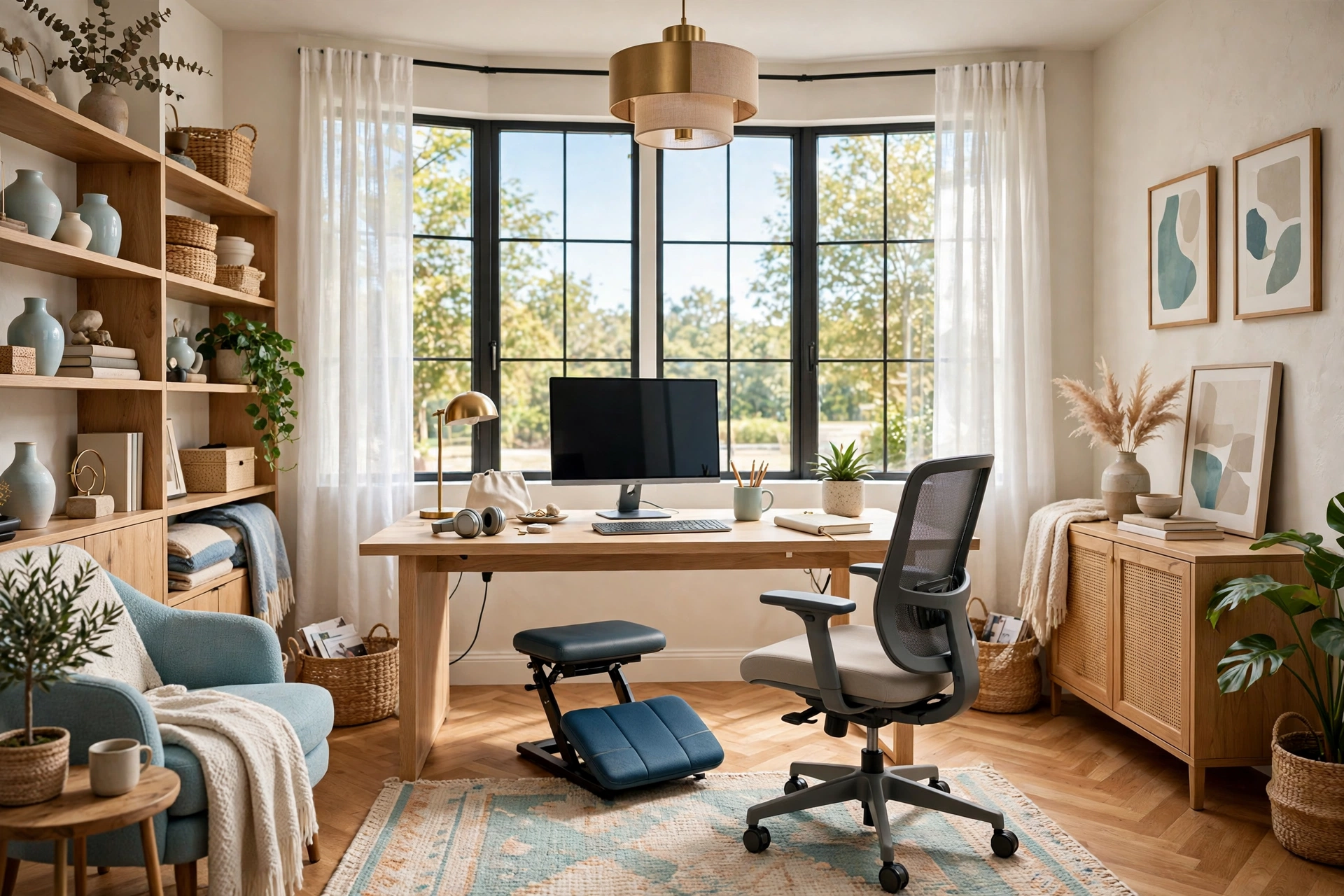
Ergonomics is usually discussed from the waist up, but your feet matter too. If your feet dangle or rest flat without support, your lower back compensates, and the ache shows up by lunchtime. A footrest gives your feet a stable, slightly angled platform, which keeps your knees at a comfortable ninety degrees and takes pressure off your lower back.
A simple adjustable footrest costs very little and works with any chair. Choose one with a textured, non-slip surface and a gentle rocking or tilt option so you can shift position through the day. It is the kind of accessory you forget is there — until you work a day without it and wonder why your back hurts.
💡 Pro Tip: sit down, close your eyes, and notice where your body feels tense. If your shoulders are up near your ears or your feet are searching for the floor, something still needs adjusting before you call the desk done.
Common Home Office Desk Accessories Mistakes
Mistake 1: Buying accessories before measuring the desk
A monitor arm that does not fit your desk edge, a mat that hangs over the sides, a riser wider than the desk — all of these come from skipping the tape measure. Measure depth, width, and edge thickness before you order anything, and check the weight limits on arms and risers against your actual monitor.
Mistake 2: Choosing looks over ergonomics
A beautiful brass lamp that glares into your eyes and a stylish flat keyboard that hurts your wrists are both bad buys, no matter how good they look in photos. Start with comfort and function, then find the attractive version of the thing that works. The best accessories do both, but function has to come first.
Mistake 3: Adding accessories without removing anything
Every new item needs a home, and a desk has a fixed amount of space. If you add a plant, a headphone stand, and a desk mat without clearing something out, the desk ends up more crowded than before. For every accessory you add, remove or relocate one thing that was already there.
Mistake 4: Ignoring cable management until the end
Cables are easiest to manage before anything is plugged in. People who add a cable tray last usually give up halfway, because unplugging everything feels like too much work. Plan your cable routes when you set up each accessory, and the clean look takes care of itself.
Mistake 5: Buying everything at once
A desk full of brand-new accessories that you have not tested is a gamble. Start with the two or three items that solve your biggest daily annoyance, live with them for a week, and then add the next layer. You will spend less money and end up with a setup that actually fits the way you work.
Frequently Asked Questions
1. What are the most important home office desk accessories to buy first?
Start with a monitor riser, an adjustable desk lamp, and a cable management tray. These three solve the biggest daily problems — poor posture, eye strain, and clutter — for a modest total cost, and they make every other accessory work better.
2. How much should I spend on desk accessories?
Most people can transform a desk for between 100 and 200 dollars, buying the essentials first and adding nice-to-haves over time. You do not need premium brands for most accessories; focus on build quality and fit for your desk rather than logos.
3. Do desk accessories really improve productivity?
Yes, in a practical way. Accessories that fix posture, lighting, and clutter remove small daily frictions — fewer headaches, less time hunting for things, less wrist pain — and that adds up to more comfortable, focused work hours. The effect is gradual, not magical, but it is real.
4. What desk accessories work best in a small home office?
In a small space, choose accessories that save space rather than add to it: a monitor arm instead of a stock stand, a clamp-on headphone holder instead of a stand, and a slim desk mat instead of a large organizer. If you need ideas for fitting a whole office into a corner, our guide to a productive home office in a small corner covers the layout side of the problem.
5. How do I keep my desk accessories organized long term?
Give everything a fixed home, do a five-minute reset at the end of each workday, and audit the desk once a month. Anything you have not used in thirty days should move to a drawer or leave the desk entirely. Our guide on how to organize your home office desk has a full system for keeping the surface clear.
6. Can I set up a good home office desk on a tight budget?
Absolutely. A bamboo monitor riser, a basic cable tray, and a desk mat cost very little and deliver most of the benefit. Pair them with a dual monitor setup using a simple monitor arm, and you have a professional-feeling workspace for far less than a new desk would cost.
7. What is the best desk accessory for video calls?
An adjustable desk lamp with warm light is the single best upgrade for how you look on camera, because soft light from the front flatters your face and removes harsh shadows. A monitor riser helps too, by lifting your webcam to eye level instead of filming up your chin.
8. Should my desk accessories match each other?
They should share a color family or material — warm wood tones, matte black, or soft neutrals — but they do not need to be a matching set. A consistent palette makes the desk look designed rather than assembled, while a little variety in texture keeps it from feeling flat.
Conclusion
A great desk is not built in a single shopping trip. It grows one thoughtful accessory at a time, each solving a real problem you actually feel during the workday. The twelve accessories in this guide — from the monitor riser that saves your neck to the footrest that supports your back — work together to make your workspace more comfortable, more organized, and more pleasant to sit at.
Start with the three essentials: lift your screen, light your work, and hide your cables. Then add the pieces that fit your habits, whether that is a plant for calm, a hub for connectivity, or a notebook for thinking on paper. However you build it, remember that the best desk accessory is the one you use every single day. Choose well, keep it tidy, and your workspace will quietly make every workday a little bit better.